Tutorials ·
Build an Organic Animated 3D Blob with React Three Fiber
UI Layouts
On this page
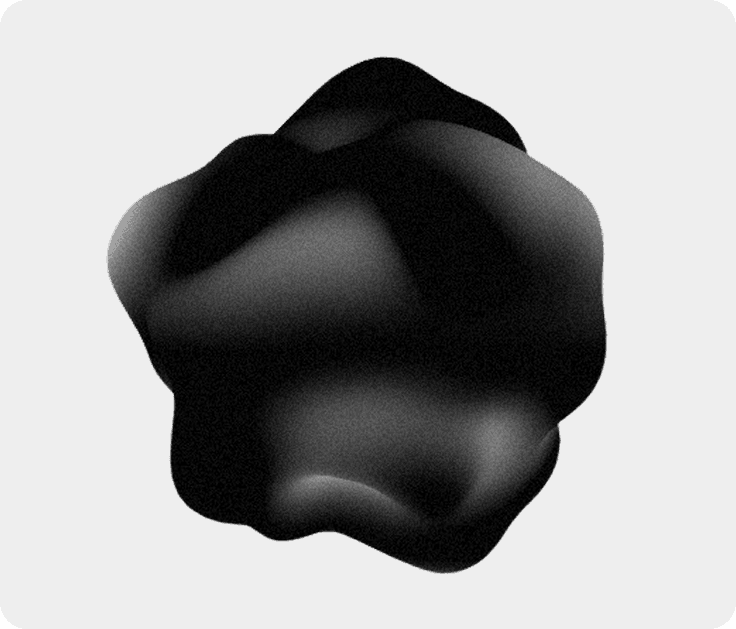
An organic blob adds a sculptural visual to a hero without needing a video file.
Live example from UI Layouts
Start with geometry
Use a sphere with enough subdivisions for smooth deformation, but not more than the effect needs. Displace along its surface normals to maintain a recognizable volume.
Keep animation in the render loop
Update a time uniform rather than setting React state on every frame. Choose coherent noise or a low-frequency wave instead of unrelated vertex jitter.
Make lighting and fallback intentional
Choose a camera and lighting that retain the silhouette. Respect reduced motion, and use a static image or simple CSS shape if WebGL is unavailable.
Implementation pattern
The following focused snippet demonstrates the principle, not the complete UI Layouts implementation. The live example and linked documentation contain the full source.
vec3 displaced = position + normal * sin(position.y * 3.0 + uTime) * 0.12;
Explore the source
Open the r3f blob component documentation for the full implementation, examples and any required dependencies. Test the interaction on a narrow screen and with keyboard navigation before adapting it to production.