Tutorials ·
How to create an image mouse trail for a portfolio
UI Layouts
On this page
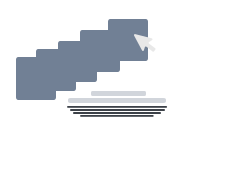
An image trail can make a portfolio landing page feel tactile, but spawning an image on every pointer event quickly becomes noisy and costly. The mouse trail explorer is useful for comparing different visual treatments.
Live component
Sample by distance
Record the last accepted pointer position and only emit a new item after a minimum travel distance. This makes the effect less dependent on the frequency of hardware events.
Use a bounded pool
Reuse a fixed number of image elements or remove them after their exit animation. Preload a small set of correctly sized assets, avoid large image downloads on the first interaction, and give the effect a clear clipping boundary.
Layer without stealing events
The trail should sit behind meaningful text and be pointer-transparent. Disable it for coarse pointers or reduced motion. Cancel pending animation work when the component unmounts.
Implementation example
The following focused example illustrates the technique. Use the linked component or block for the complete implementation.
const shouldEmit = (last, next, spacing = 48) => Math.hypot(next.x - last.x, next.y - last.y) >= spacing;
Before shipping
Verify that rapid mouse movement does not grow the DOM indefinitely and the main links remain clickable.