Tutorials ·
Build a Creative Buy Me a Coffee Support Button in React
UI Layouts
On this page
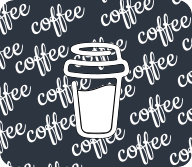
A sponsorship button gives readers a clear way to support an independent project.
Live example from UI Layouts
Use a real destination
If the action navigates to a sponsorship page, use a link with a descriptive label and the correct destination. Avoid a decorative button that has no payment or support flow attached.
Customize the artwork
The component documents classes for the container, coffee icon and SVG text. Adjust the treatment to match your visual language without removing the visible support label.
Explain the outcome
Make clear whether the link opens a third-party service, and keep it keyboard reachable. Do not represent an external payment as completed until that provider confirms it.
Implementation pattern
The following focused snippet demonstrates the principle, not the complete UI Layouts implementation. The live example and linked documentation contain the full source.
<a href='/support'>Support this project</a>
Explore the source
Open the buy me coffee component documentation for the full implementation, examples and any required dependencies. Test the interaction on a narrow screen and with keyboard navigation before adapting it to production.