Tutorials ·
How to Mask Images with SVG Shapes in React and CSS
UI Layouts
On this page
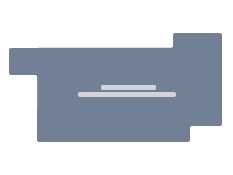
An image mask controls visibility through alpha or luminance rather than just defining a hard geometric edge.
Live example from UI Layouts

Choose mask semantics
A clip path creates a crisp boundary, while a mask can create soft or translucent regions. Use an SVG shape when you want the subject to appear inside a custom illustration.
Align the mask and image
Set mask-size, position and repeat explicitly, and choose the image's object position separately. Check the artwork at different aspect ratios.
Provide a useful fallback
If a remote mask fails to load, an image can disappear. Prefer local assets and ensure any information conveyed by the image is also available in text.
Implementation pattern
The following focused snippet demonstrates the principle, not the complete UI Layouts implementation. The live example and linked documentation contain the full source.
.masked { mask-image: url('/shape.svg'); mask-size: contain; mask-position: center; mask-repeat: no-repeat; }
Explore the source
Open the image masking component documentation for the full implementation, examples and any required dependencies. Test the interaction on a narrow screen and with keyboard navigation before adapting it to production.