UI Blocks ·
How to Build a Work Experience Timeline for a Portfolio Website
UI Layouts
On this page
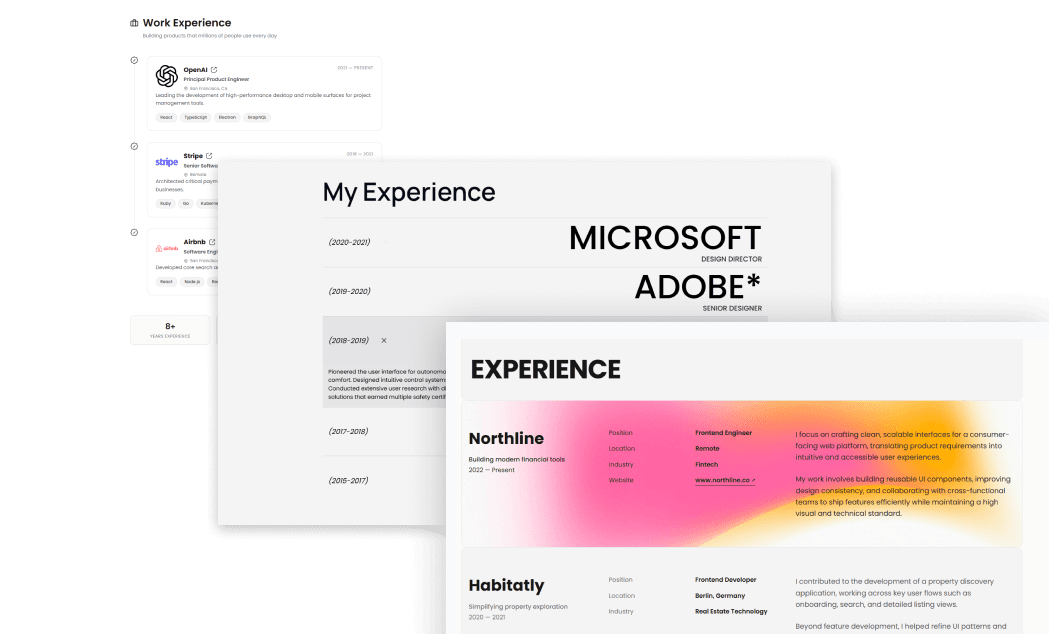
A portfolio experience section is more useful when it explains the scope and impact of each role, rather than acting as a timeline of logos. The Portfolio Experience block offers a starting layout.
Structure the history
Use a consistent record for role, organization, start and end dates, responsibilities and one or two results. Distinguish personal contributions from team outcomes and mark overlapping freelance work accurately.
Make entries scannable
Place the role and organization first, then dates and a short summary. Use a semantic list in reverse chronological order. Keep the date format consistent and do not rely on a decorative timeline to convey ordering.
Link to supporting work
Where possible, link to public projects or case studies that demonstrate the contribution. Avoid disclosing private client work or confidential metrics; describe scope rather than inventing impact.
Implementation example
The following focused example illustrates the technique. Use the linked component or block for the complete implementation.
<ol>
  <li><h3>Design engineer</h3><p>Company · <time datetime='2025-01'>Jan 2025</time>–present</p><p>Describe your contribution and link to a relevant project.</p></li>
</ol>
Before shipping
Verify dates, permissions and project links. Check the timeline with images disabled and on a small screen.