Tutorials ·
How to Build a YouTube-Style Tags Input in React
UI Layouts
On this page
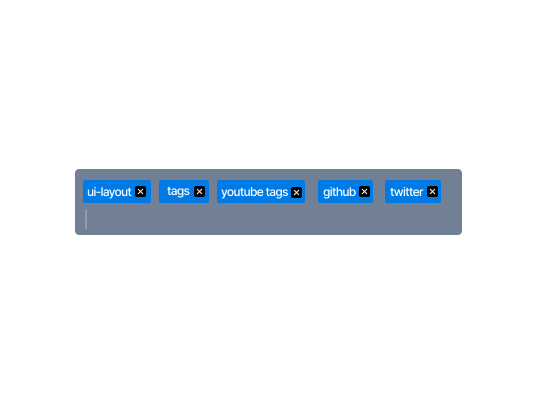
A tags input turns free text into a manageable list of chips for topics, skills or labels.
Live example from UI Layouts
Installation
Use the documented UI Layouts registry command in your React project:
npx shadcn@latest add 'https://www.ui-layouts.com/r/tags-input.json'
The component documentation includes the full setup and dependency details.
Normalize before inserting
Trim entries, reject empty strings and decide whether case differences should count as duplicates. Keep a separate draft input rather than inserting a chip after every keystroke.
Support keyboard and paste
Commit on Enter or a configured delimiter, and let a pasted list be split into entries. Avoid interpreting Enter during IME composition as a completed tag.
Make removal explicit
Every chip needs an accessible removal button. Backspace on an empty input can select or remove the last chip according to your documented interaction.
Implementation pattern
The following focused snippet demonstrates the principle, not the complete UI Layouts implementation. The live example and linked documentation contain the full source.
const addTag = (tags: string[], draft: string) => [...new Set([...tags, draft.trim()].filter(Boolean))];
Explore the source
Open the tags input component documentation for the full implementation, examples and any required dependencies. Test the interaction on a narrow screen and with keyboard navigation before adapting it to production.