UI Blocks ·
How to Build a SaaS Pricing Table with React and Tailwind CSS
UI Layouts
On this page
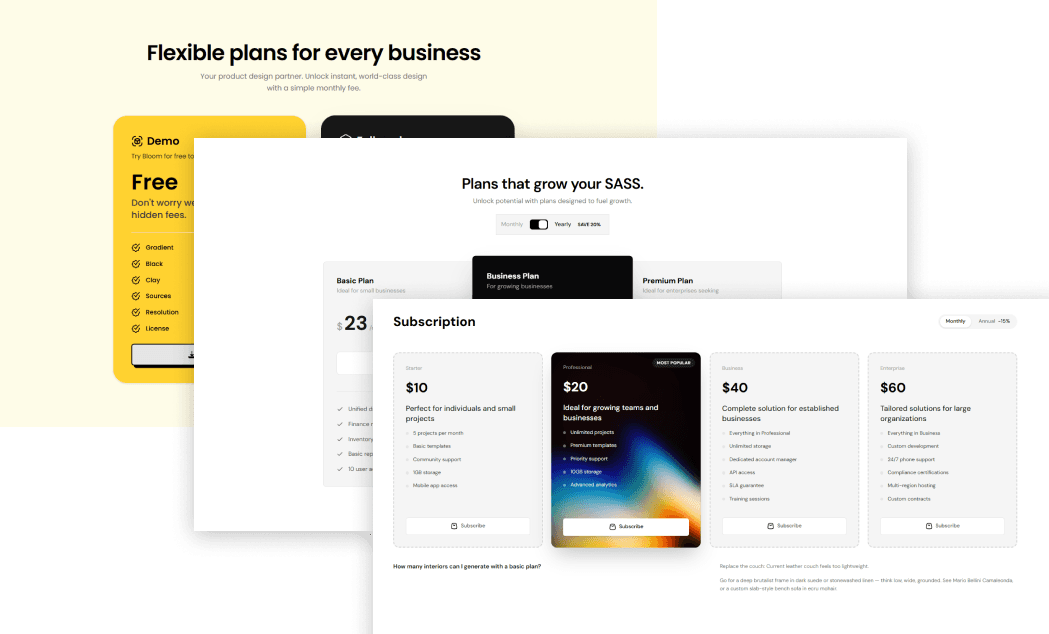
A pricing block should make the cost and limitations of each plan easy to compare. A beautiful card cannot compensate for ambiguous billing terms or a hidden usage limit.
Model pricing as data
Store plan name, amount, currency, billing interval, included features and action destination in a structured object. Keep annual totals and monthly equivalents distinct so the toggle does not misrepresent the actual charge.
Make comparisons consistent
Present shared features in the same order across cards and clearly label limits. Highlight a recommended plan only when it genuinely serves a common use case. Keep every plan's CTA accessible and identifiable.
Handle billing changes transparently
When the user changes the billing interval, update the displayed amount and billing explanation together. Include taxes or additional fees where applicable and ensure the checkout uses the selected plan.
Implementation example
The following focused example illustrates the technique. Use the linked component or block for the complete implementation.
const plans = [{ id: 'starter', name: 'Starter', monthly: 12, annual: 120 }];
const formatUSD = (amount: number) => new Intl.NumberFormat('en-US', { style: 'currency', currency: 'USD' }).format(amount);
const annualTotal = formatUSD(plans[0].annual);
Before shipping
Values are examples, not UI Layouts pricing. Verify billing period labels, checkout links and wrapping at mobile widths.