Tutorials ·
How to Create a Stacking Cards Scroll Animation with CSS and React
UI Layouts
On this page
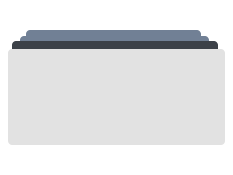
Stacking cards create a layered story as the next section approaches the previous one.
Live example from UI Layouts
The example also imports ReactLenis from lenis/react. Install lenis and see the smooth scroll setup for details.
Use sticky positioning for the baseline
Each card can stick within its parent section at a chosen top offset. The parent needs sufficient scrollable height for the effect to work.
Separate stacking order from scale
Use predictable z-index order and optional scale transitions. Avoid moving headings behind overlapping cards before readers can finish them.
Plan the mobile reading experience
On small screens or reduced motion, use a normal vertical list if the stacked layout obscures content. Check ancestor overflow, which can change sticky behavior.
Implementation pattern
The following focused snippet demonstrates the principle, not the complete UI Layouts implementation. The live example and linked documentation contain the full source.
.stack-card { position: sticky; top: 2rem; }
@media (prefers-reduced-motion: reduce) { .stack-card { position: static; } }
Explore the source
Open the stacking card component documentation for the full implementation, examples and any required dependencies. Test the interaction on a narrow screen and with keyboard navigation before adapting it to production.