UI Blocks ·
How to Build a Responsive FAQ Section for a SaaS Landing Page
UI Layouts
On this page
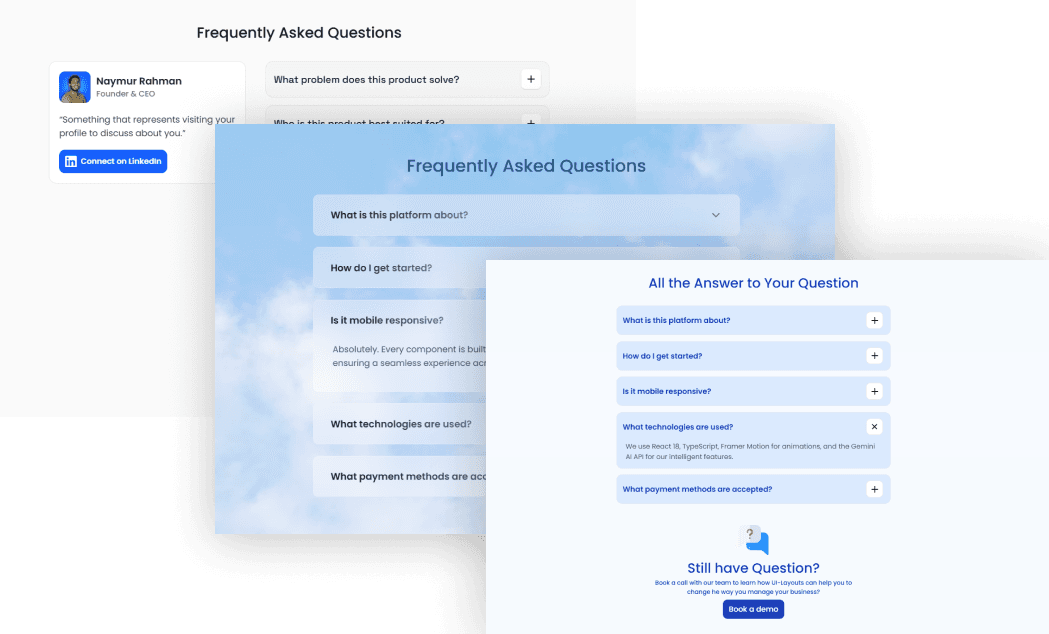
An FAQ section answers questions that would otherwise interrupt a user's decision. The Tabbed Explorer FAQ block can organize larger sets of answers, but a simple list is often enough for a short page.
Start with actual questions
Use support conversations, product documentation and onboarding feedback to identify repeated uncertainty. Write one direct answer per question and link to the detailed policy or guide where appropriate.
Group by task when needed
For a large set, categorize questions by billing, setup or usage rather than by internal team. Keep category labels plain and preserve deep links to important answers where feasible.
Keep answers accessible
Use semantic disclosure controls, make the open state obvious and keep the content available without JavaScript when possible. Do not hide legal terms or essential product limitations exclusively in collapsible panels.
Implementation example
The following focused example illustrates the technique. Use the linked component or block for the complete implementation.
<section aria-labelledby='faq-title'>
  <h2 id='faq-title'>Frequently asked questions</h2>
  <details><summary>Where is the source code?</summary><p>Open the component documentation to view its source.</p></details>
</section>
Before shipping
Check keyboard access, long answers and category changes. FAQ structured data does not guarantee a rich search result.