iPhone Duo
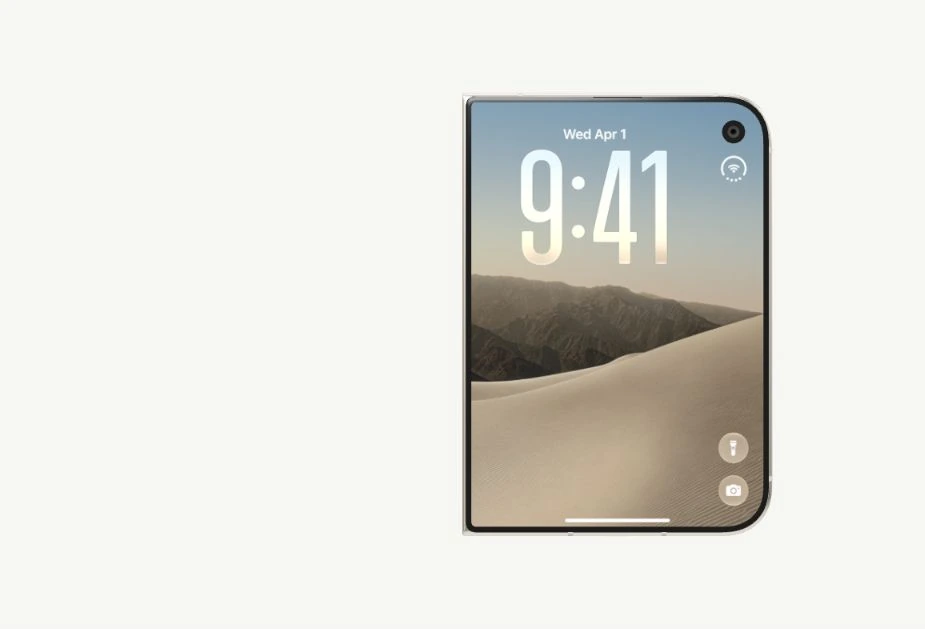
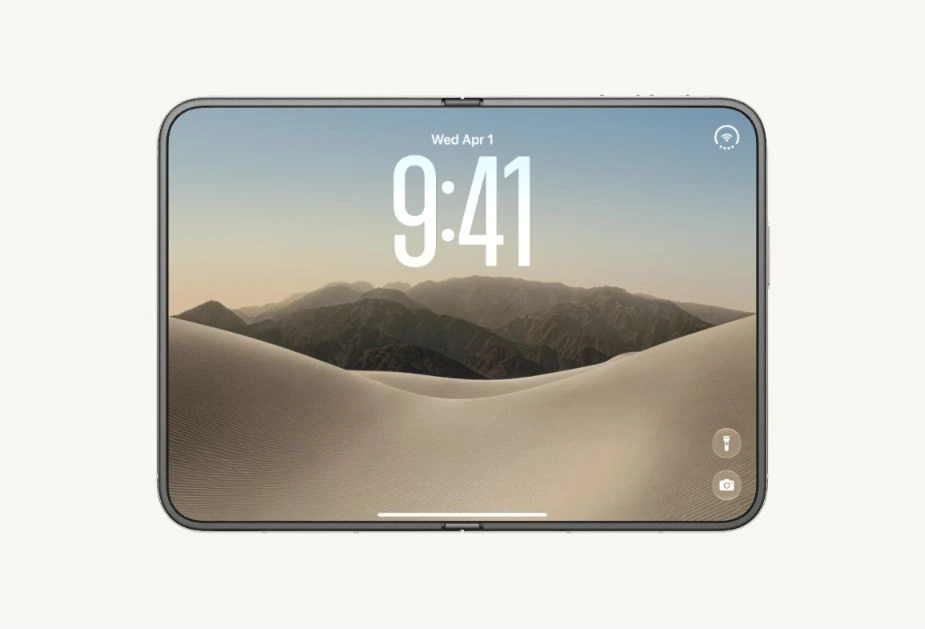
A reusable folding-device component with projected screen content and progressive blur. Control the fold with scrolling or a slider.
Fold rendering adapted from iPhone Duo. Both variants use the original Duo wallpaper and light theme.
Installation
Reference assets
The model and screen imagery are downloaded from Apple separately and retain their own terms. Both CLI commands include the preparation script, posters, and attribution notice. For manual installation, copy the script. With Python 3.12, run these commands in your app:
python -m pip install usd-core==26.8
python scripts/prepare-iphone-duo-assets.py --output public/iphone-duo
In the UI Layouts monorepo, the script is in apps/ui-layout/scripts/. The Vercel configuration prepares the assets before building. On another host, run preparation before building a fresh checkout and include the generated files in your deployment.
Usage
The component renders the device only. Set angle from a scroll position or slider value. It has no built-in playback interface. Set interactive={false} when the surrounding UI handles pointer or scroll input; the default enables drag to orbit and wheel or pinch to zoom.
Props
| Prop | Type | Default | Description |
|---|---|---|---|
className | string | — | Container styling, including height and background. |
angle | number | — | Controlled opening angle, from 0° closed to 180° open. |
defaultAngle | number | 180 | Initial angle when angle is omitted. |
screen | 'wallpaper' or 'launcher' | 'wallpaper' | Default screen content. |
imageSrc | string | — | Image URL or object URL, overriding the preset on both displays. |
interactive | boolean | true | Enable orbit and zoom controls. |
assetPath | string | '/iphone-duo' | Folder containing the prepared model, textures, UI images, and posters. |
posterSrc | string | Matching open/closed preset | First-frame image for custom artwork, backgrounds, or an initial pose other than 0° / 180°. |
The inside displays the whole custom image; the outside displays its right half. Remote image hosts must allow CORS. You can pass a locally selected file as an object URL; revoke that URL when your app stops using it. Angle and content updates reuse the scene. Unmounting disposes each renderer and its GPU resources. Up to two idle model sources stay cached in the current tab so remounting reuses the parsed model and decoded screens.
First-frame display
A small, eager-loaded image of the device appears in the server-rendered HTML. It stays visible while the model loads and shaders compile, then fades away after a complete 3D frame has rendered. There is no loading message or spinner. The default images match the original light theme and the 0° / 180° starting poses used by the two examples. For different artwork, backgrounds, or a different initial angle, provide a matching posterSrc.
Model and screen requests run in parallel and are shared between instances. Cached sources are reused on route revisits within the tab; a full reload still initializes WebGL in the background. You can optionally warm that source cache before navigation:
Examples
Scroll to unfold
The first example maps the preview's scroll position to angle. Its canvas leaves scrolling to the parent. Focus the preview to use arrow keys, Page Up, Page Down, Home, or End.
Slider
Drag the slider or use the arrow keys to control the fold. This variant displays only the device and its slider, using the same wallpaper and light theme as the scroll variant.
How it works
The cover rotates while the camera half stays fixed. A Hermite curve bends the hinge strip. The shader projects the image from a fixed front view and progressively blurs and darkens it along the fold, including its edges. The outer image stays anchored to the hinge and switches off at full opening.
The shaders adapt the reference effect with a broader progressive blur and cover shading. Both examples ease input changes through the same fold value, keeping geometry, blur, and shading in sync. Reduced-motion preferences disable this extra easing. The two examples provide scroll and slider control without playback buttons or content filters. MIT © 2026 jadon7; see the included notice for the license and Apple asset attribution.